ChatGPT Image Generation Guide
Create Better Images
With Better Prompts
ChatGPT image generation has reached a level where almost anyone can create beautiful, polished, highly detailed images.
But the quality of the result depends heavily on the quality of the instruction.
A weak prompt produces a vague image.
A strong prompt gives ChatGPT a clear creative brief.
This guide will show you how to write better prompts, refine your results, and build a repeatable process for creating professional images for websites, brands, social media, products, ads, thumbnails, presentations, and visual storytelling.
Why Prompting Matters
ChatGPT can generate original images from natural language. You do not need complex code or technical design software to begin.
The key is clarity.
A good image prompt tells ChatGPT what to create, how it should feel, what style it should follow, what details matter most, and what should be avoided.
The best results usually come from a prompt that includes:
Subject
Style
Composition
Lighting
Environment
Mood
Color direction
Camera or visual perspective
Level of detail
Final usage
The more clearly you define the creative outcome, the more control you have over the image.
The Simple Prompt Formula
Use this structure when creating images with ChatGPT:
Create an image of [subject] in [style], with [composition], set in [environment], using [lighting], with [color direction], expressing [mood], for [intended use].
Example:
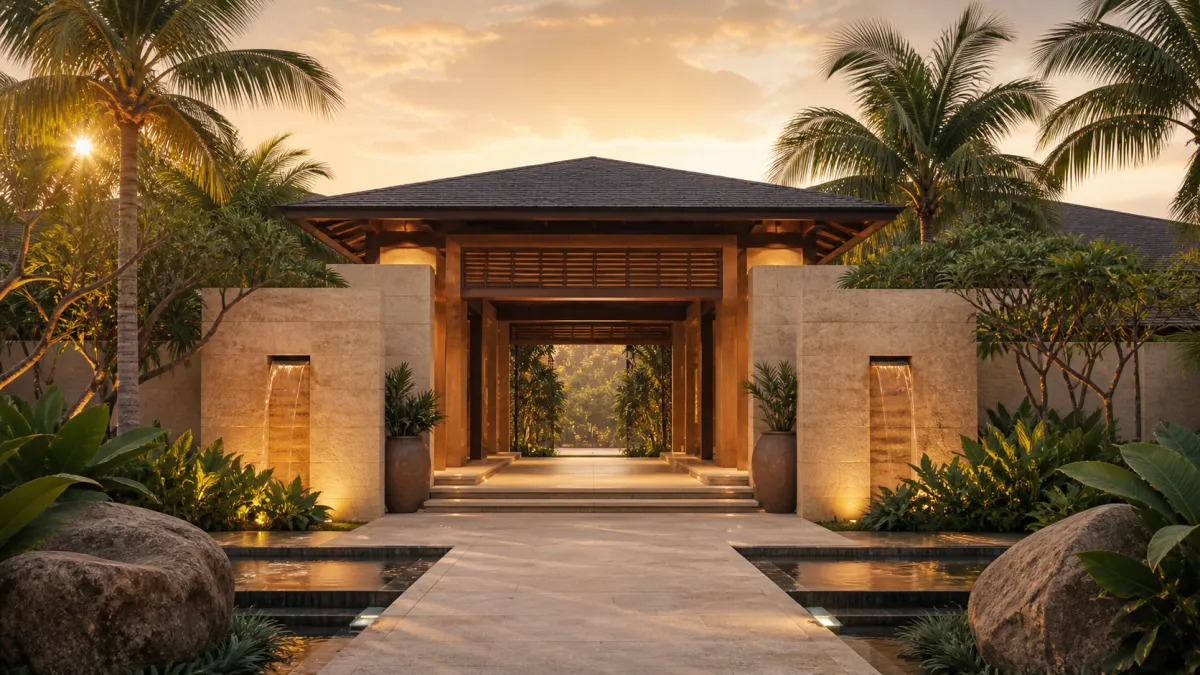
Create an image of a luxury wellness retreat entrance in a cinematic editorial style, with a wide symmetrical composition, set in a tropical landscape at sunrise, using soft golden light, natural earth tones, and a calm elevated mood, for use as a website hero image.
The Professional Prompt Framework
For stronger results, use this expanded structure.
1. Define the Subject
Start with the main thing the image should show.
Examples:
A woman meditating beside the ocean
A futuristic wellness spa lobby
A premium supplement bottle on stone
A cinematic portrait of an entrepreneur
A golden door surrounded by tropical flowers
A luxury island retreat viewed from above
Avoid vague subjects such as “make something beautiful” or “create a nice design.” Give ChatGPT something concrete to build from.
2. Define the Purpose
Tell ChatGPT where the image will be used.
Examples:
For a website hero section
For an Instagram Reel cover
For a YouTube thumbnail
For a luxury brand campaign
For a course module header
For a product landing page
For a presentation slide background
Purpose changes the composition. A website hero image often needs open space for text. A thumbnail needs stronger contrast. A product image needs focus and clarity.
3. Choose the Style
Style gives the image its visual language.
Examples:
Cinematic realism
Luxury editorial photography
Minimalist brand photography
High-end product rendering
Soft spiritual wellness aesthetic
Futuristic sci-fi concept art
3D anime-inspired character design
Painterly fantasy illustration
Clean modern vector illustration
Documentary-style photography
Do not combine too many styles at once. A prompt asking for “realistic cinematic anime watercolor luxury fashion editorial 3D render” will usually confuse the result.
Choose one main style and support it with details.
4. Set the Composition
Composition tells ChatGPT how to arrange the image.
Choose one main style and support it with details.
Examples:
Centered composition
Wide horizontal hero image
Close-up portrait
Full body character view
Top-down product layout
Three-quarter product angle
Symmetrical architectural shot
Subject on the left with open space on the right
Rule-of-thirds composition
Three aligned views side by side
Composition is one of the most important parts of prompting. Without it, ChatGPT will decide the layout for you.
5. Describe the Environment
The environment gives context.
Examples:
Inside a serene luxury spa
On a quiet tropical beach at sunrise
In a futuristic wellness clinic
In a clean white studio
On a polished stone surface
In a sacred temple-like interior
In a natural forest with soft mist
Against a vibrant solid-color background
Good environments make the image feel intentional rather than generic.
6. Control the Lighting
Lighting shapes emotion and quality.
Examples:
Soft natural morning light
Golden hour sunlight
Cinematic rim lighting
Diffused studio lighting
Warm candlelit glow
High-contrast dramatic lighting
Bright clean commercial lighting
Soft shadows and gentle highlights
Lighting can make an image feel expensive, emotional, mysterious, peaceful, bold, or clinical.
7. Choose Color Direction
Color gives the image brand alignment.
Examples:
Warm gold, cream, and soft earth tones
Deep navy, silver, and white
Emerald green and natural stone
Black, charcoal, and metallic gold
Soft pink, ivory, and champagne
Clean white with subtle teal accents
Rich tropical greens and warm sunlight
For brand work, give ChatGPT a clear color palette. Do not leave color to chance.
8. Define the Mood
Mood tells ChatGPT what the image should emotionally communicate.
Examples:
Calm
Premium
Joyful
Sacred
Powerful
Trustworthy
Futuristic
Peaceful
Transformational
Elegant
Playful
Confident
Mysterious
Mood is especially useful for wellness, personal brands, course creators, hospitality, luxury offers, and spiritual brands.
9. Add Technical Detail
Technical direction can improve visual quality.
Examples:
Shot on an 85mm lens
Shallow depth of field
Ultra-detailed
High-resolution
Professional studio photography
Sharp focus
Soft background blur
Cinematic color grading
Realistic skin texture
Natural proportions
Premium product rendering
Use technical details when you want the image to feel more professional or production-ready.
10. Add Negative Direction
Tell ChatGPT what to avoid.
Examples:
No text
No logo
No watermark
No extra fingers
No distorted hands
No clutter
No harsh shadows
No cartoon style
No overly saturated colors
No unrealistic anatomy
No blurry details
No messy background
Negative direction is especially useful when creating brand images, product visuals, people, hands, typography-free backgrounds, or clean website assets.
Examples
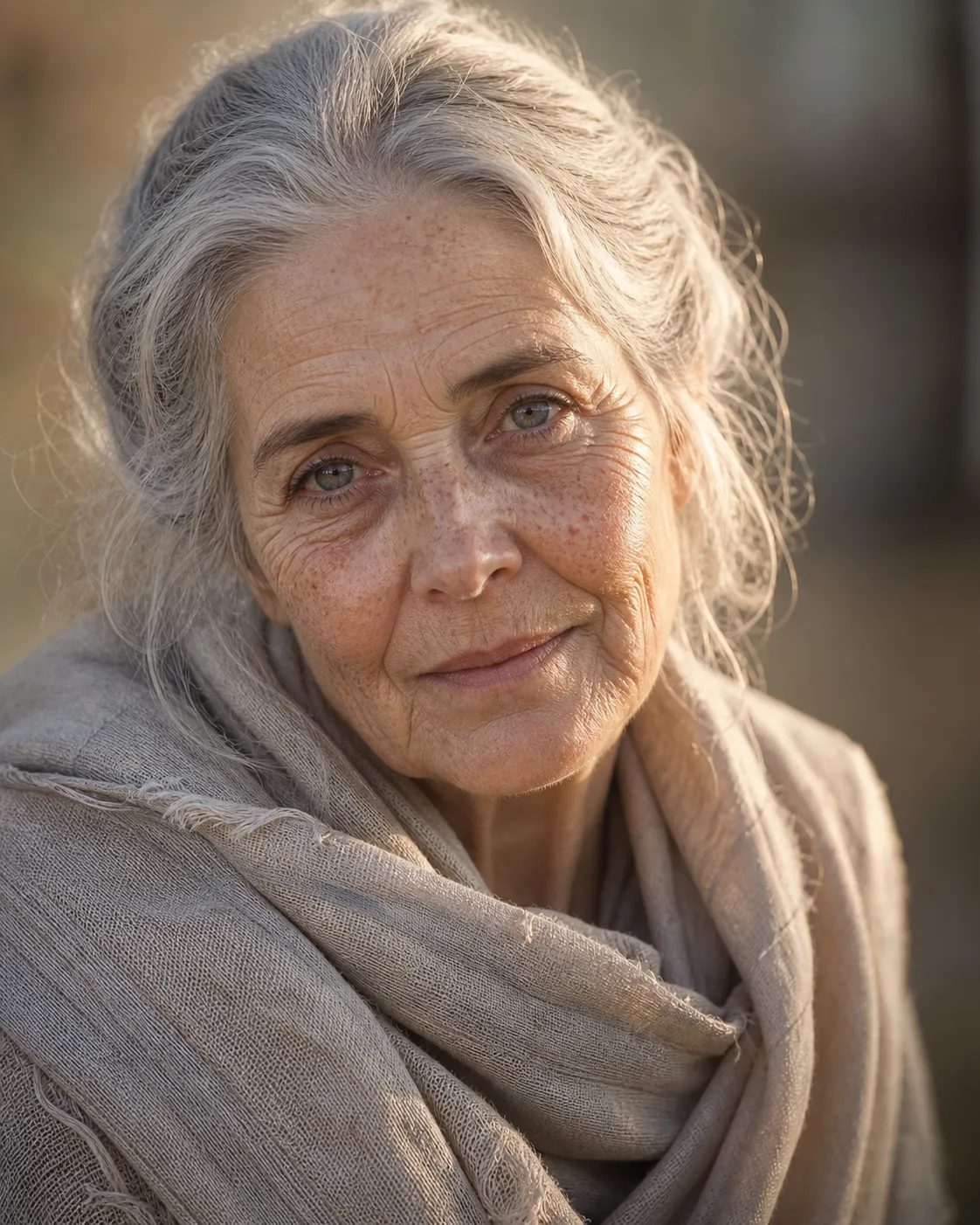
image Prompt: Ultra-realistic portrait of an elderly woman with silver hair, freckles, and glassy eyes, wearing a linen shawl under golden morning light. Sharp focus on pores, wrinkles, and skin translucency. Natural lighting, 85mm f/1.4 lens, cinematic depth of field.
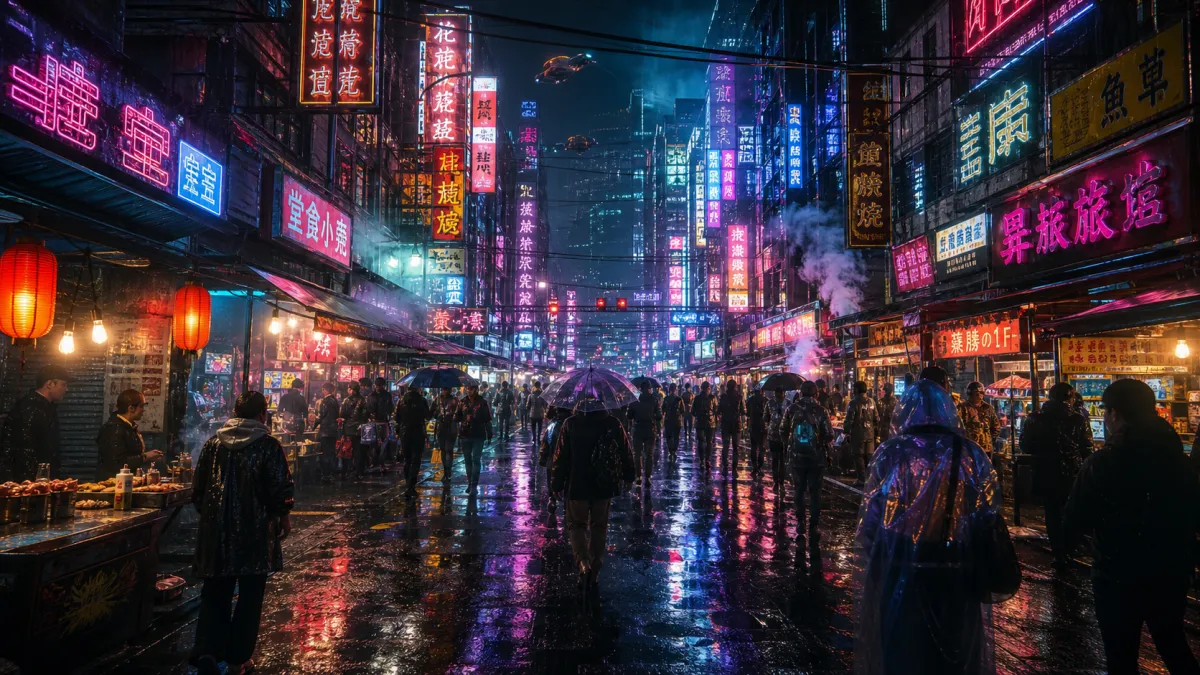
image Prompt: Crowded cyberpunk street market at night, dozens of neon signs, people in reflective clothing, rain on the pavement, puddle reflections, bokeh lights, steam rising, ultra-detailed 8K realism, wide 24mm lens, Blade Runner energy.
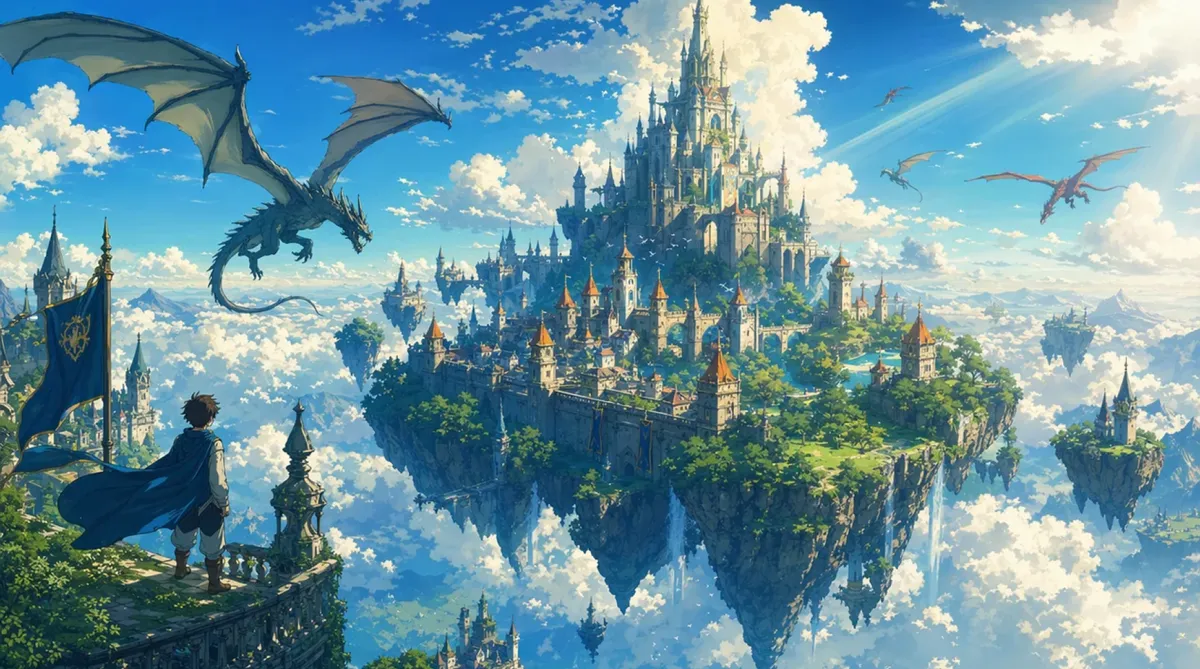
image Prompt: High-fantasy castle floating above the clouds, dragons circling, sunbeams breaking through mist, painterly brushwork like Studio Ghibli x John Howe, vivid palette, balanced composition, dynamic perspective.
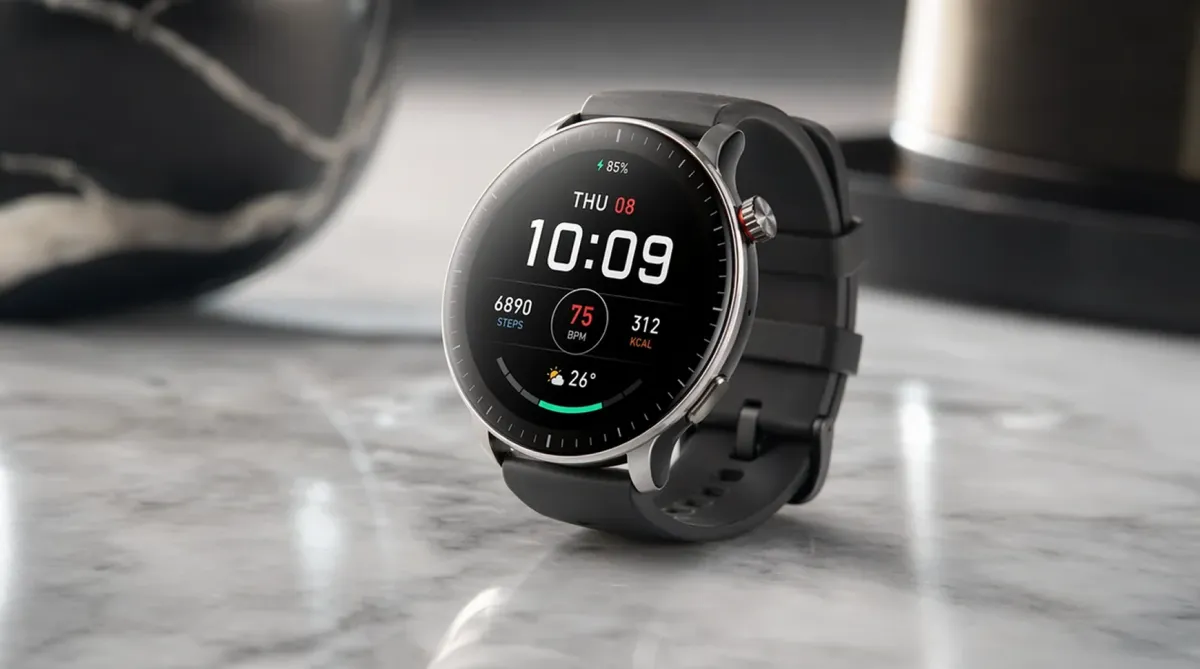
image Prompt: Modern smartwatch product photo on marble surface with softbox lighting, realistic reflections, accurate shadows, glossy metal rim, OLED display glow, depth of field blur, professional studio photography style.
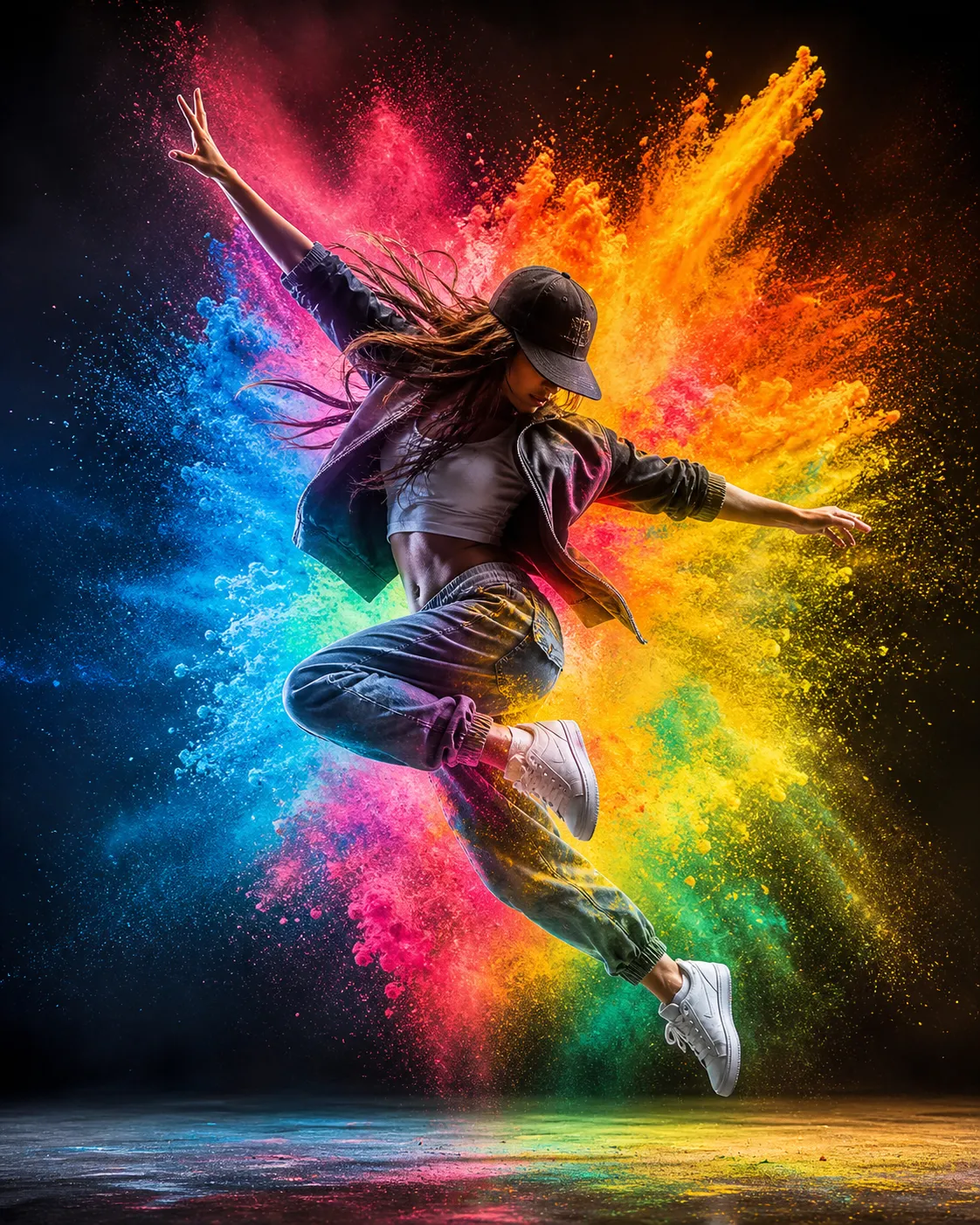
image Prompt: “Street dancer mid-air in slow motion surrounded by exploding colored powder, high-speed photography aesthetic, motion blur and particle detail, vibrant color balance, cinematic lighting, dramatic backlight.”
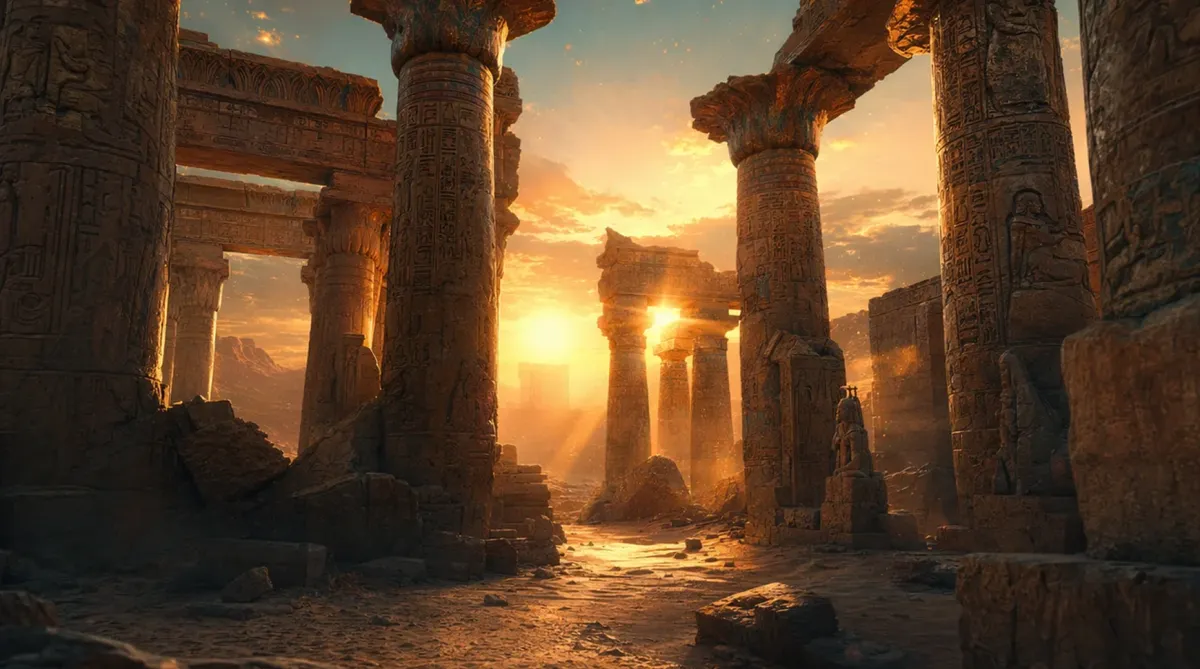
image Prompt: “Ancient desert temple at sunset, god-rays shining through broken columns, sand particles in the air, warm orange-teal contrast, ultra-detailed stone carvings and atmospheric depth.”
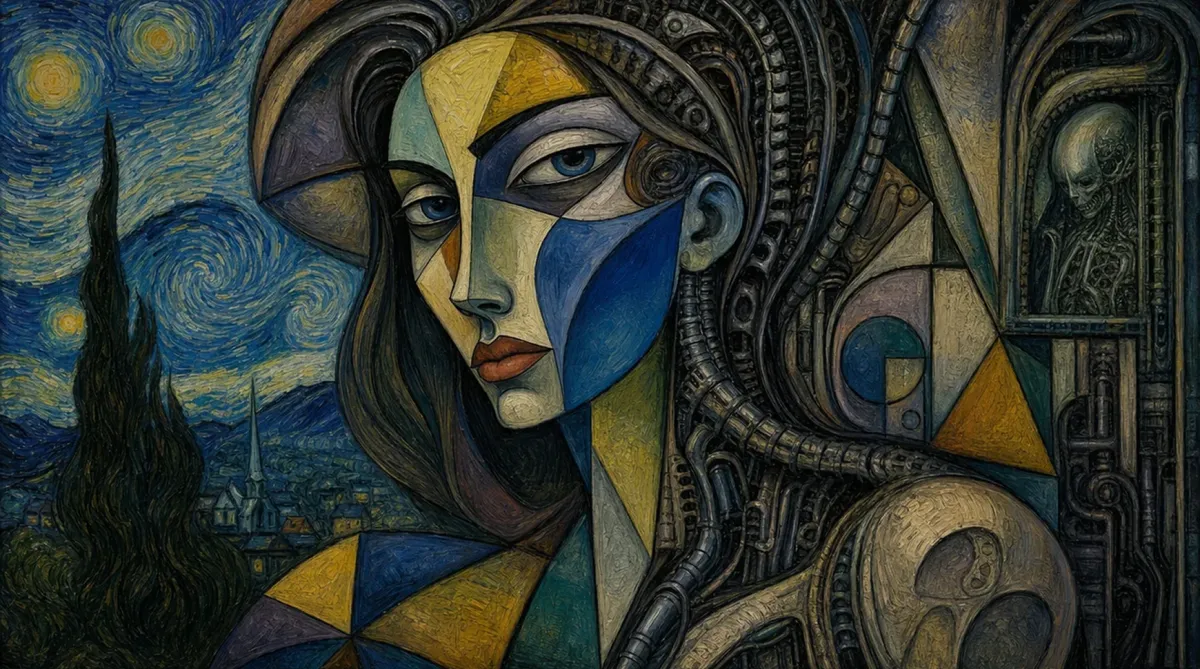
image Prompt: “Portrait of a woman painted in the hybrid style of Picasso, Van Gogh, and H.R. Giger — geometric abstraction fused with surreal biomechanical detail, bold color, painterly texture, consistent composition.”
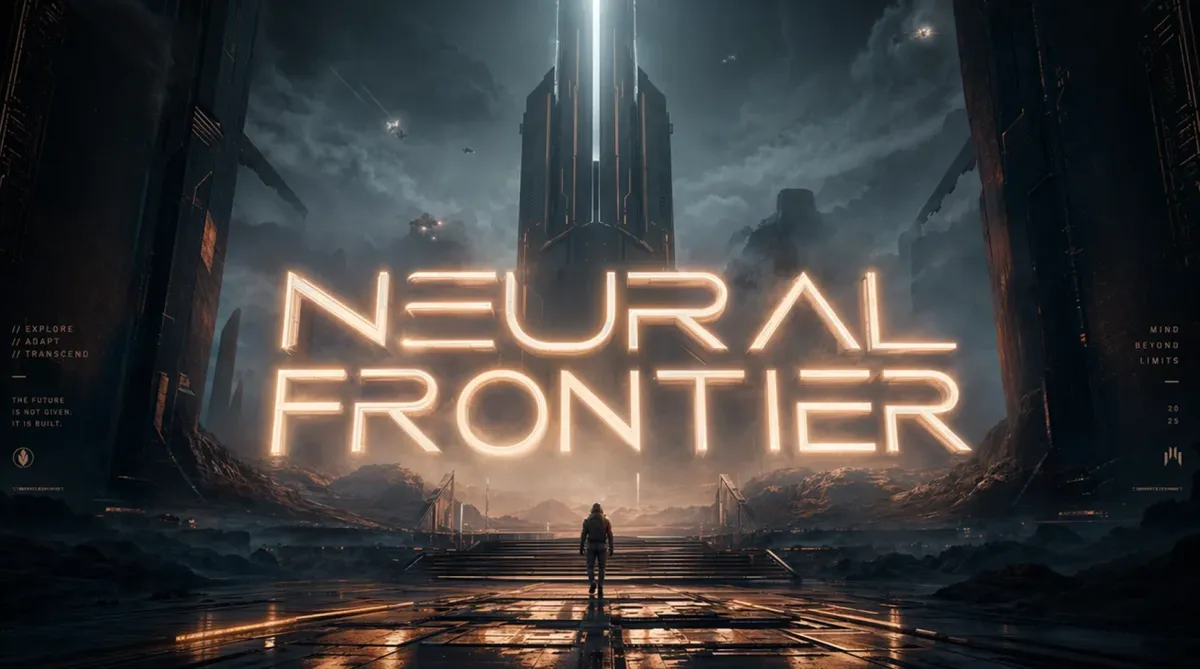
image Prompt: “Poster design reading ‘NEURAL FRONTIER’ — futuristic typography integrated into 3D environment, glowing letters casting light onto surrounding fog, balanced composition, cinematic mood, Unreal Engine look.”
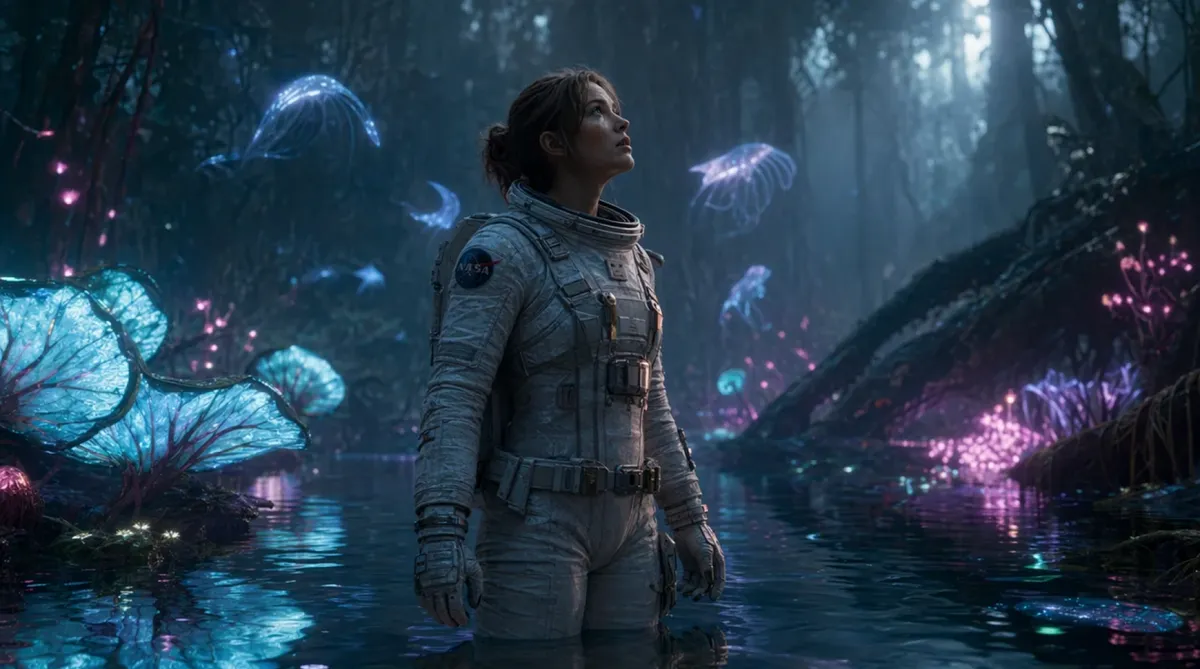
image Prompt: “Female astronaut standing in a flooded forest with bioluminescent plants and glowing alien creatures, reflections on water, realistic suit texture, subtle mist, emotional cinematic storytelling, volumetric lighting.”
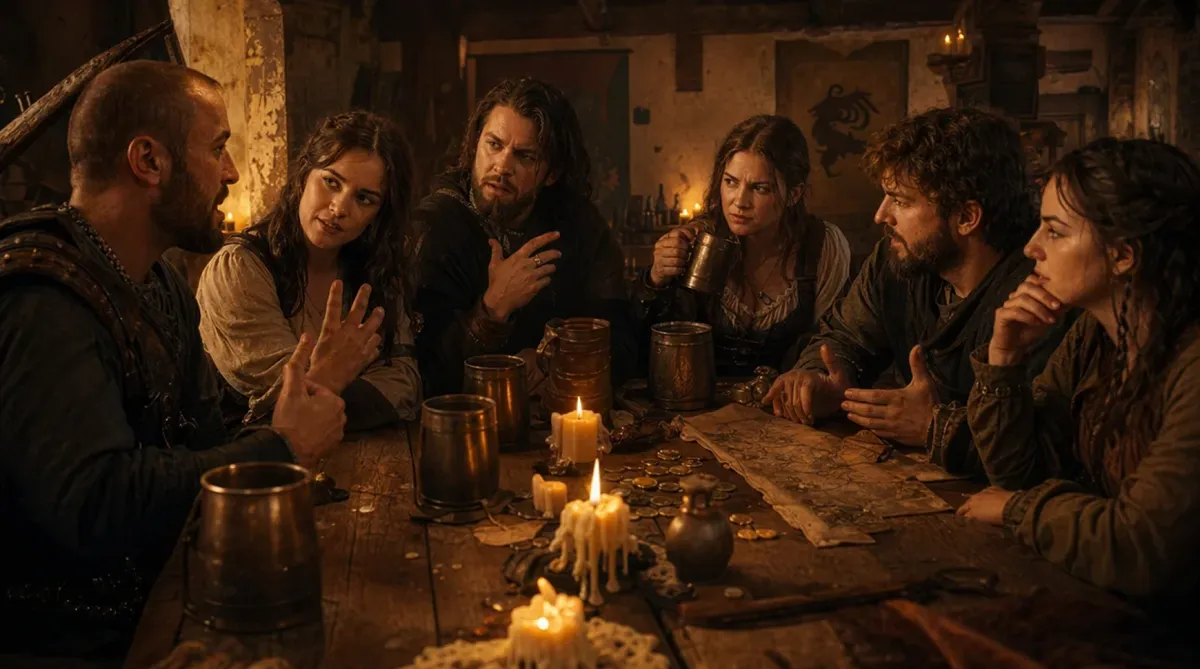
image Prompt: “Six people sitting around a wooden table in a medieval tavern lit by candlelight, each with different facial expressions and hand gestures interacting naturally. Tankards of ale, scattered coins, parchment maps, and spilled wax. Ultra-realistic skin tones, anatomically correct hands, warm volumetric light, shallow depth of field, 35mm lens.”
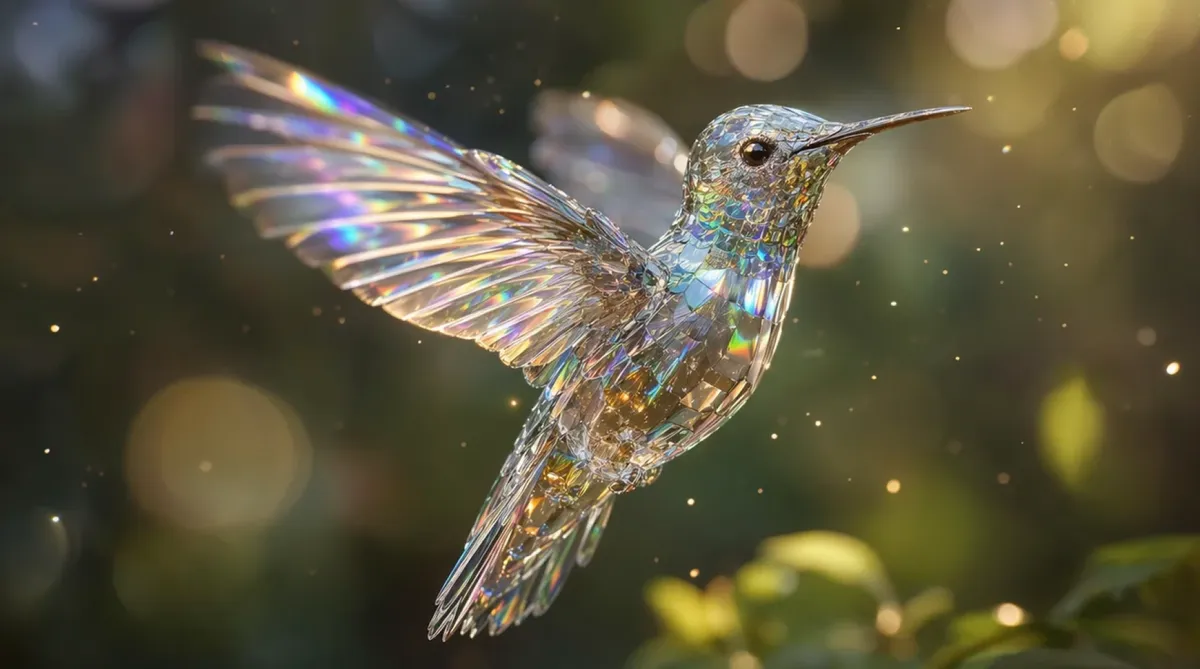
image Prompt: “Crystal hummingbird hovering mid-flight, wings frozen with motion blur, refracting rainbow light through transparent glass-like feathers. Floating dust particles catching sunlight, bokeh background, macro lens detail, photorealism.”
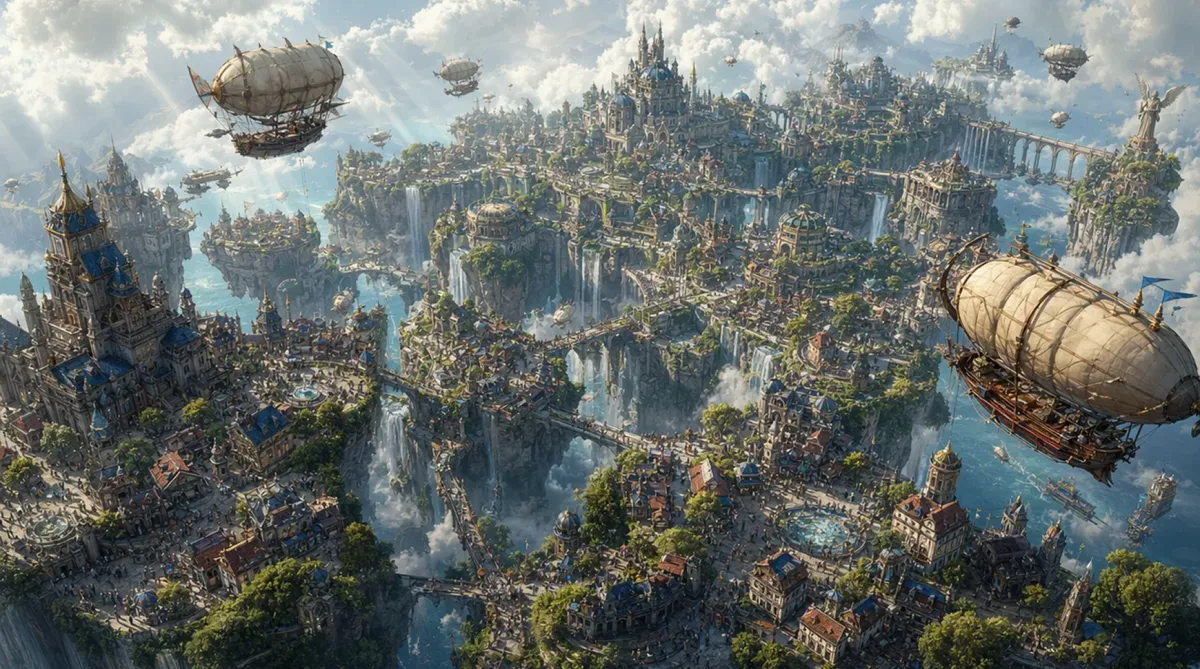
image Prompt: “Isometric fantasy city built on floating islands connected by waterfalls and bridges. Thousands of tiny buildings, bustling crowds, airships flying overhead, detailed greenery and water physics, soft god-rays breaking through clouds.”
Common Prompting Mistakes
Mistake 1: Being Too Vague
A vague prompt gives ChatGPT too much creative freedom.
Instead of:
Create a cool image.
Use:
Create a cinematic image of a luxury electric motorcycle parked on a rain-soaked city street at night, with neon reflections, dramatic lighting, and a premium futuristic mood.
Mistake 2: Asking for Too Many Styles
Too many styles can weaken the result.
Instead of asking for five different visual styles in one prompt, choose one dominant style and support it with clear details.
Mistake 3: Forgetting the Use Case
An image for a website hero needs a different layout than an image for Instagram.
Always include the intended use.
Mistake 4: Ignoring Composition
Without composition, ChatGPT decides the layout.
Tell it where the subject should sit, how close the camera should be, and whether space is needed for text.
Mistake 5: Not Refining
The first image is the beginning.
Refinement is where the best image usually appears.
Best Prompt Add-Ons
Use these phrases when they fit the goal:
High-resolution
Professional photography
Cinematic lighting
Soft natural light
Premium editorial style
Balanced composition
Clean background
Sharp focus
Subtle depth of field
Realistic proportions
Elegant material detail
Website hero format
Open space for text
No text
No watermark
No clutter